Imagine waking up, checking your phone, and seeing a few “you made a sale” messages. That’s the dream with digital products to sell. You make something once, and it can sell again and again.
Hazel Paradise puts it simply: her ebooks and spreadsheets are downloadable files, so she doesn’t have to restock them as she did with physical products. “Build once. Sell forever.”
And that’s the big switch. With physical products, you deal with boxes, shipping, and storage. With digital products to sell, there’s no inventory to manage and nothing to mail. They can be delivered instantly.
So what are digital products? They’re non-physical things people buy and use online. Think PDFs, templates, ebooks, online courses, apps, and design files.
The timing is good, too. Stripe points to research showing spending on digital goods and services was an estimated 2.7% of the global customer’s wallet in 2023, with “significant potential” to grow as more people get online. (And yes, big business publications have been pushing this idea too: turning your skills into digital products is now a real small-business path.
One catch: it’s crowded. Stripe says the space is “saturated,” and “good enough” doesn’t cut it anymore.
That’s where design becomes your secret weapon. Strong visuals build trust fast. While many beginners default to general-purpose apps, checking a detailed Kittl vs Canva comparison can show you why specialized tools matter for commercial success. Tools like Kittl make pro-level covers, templates, and product previews doable even if you’re not a designer.
Why sell digital products?
1. High profit margins
Digital products are non-physical, so you do not need inventory. You also skip storage, packing, and shipping costs. That means more of the money you earn can stay with you.
2. Scalability
You can sell the same file over and over. One product can reach 10 people or 10,000 people without extra printing or stock.
3. Passive income
A big win is automation. Customers can pay and get the download right away, even while you sleep. You can also use Email Warmup to improve email delivery and connect better with your audience.
4. Global reach
Digital products can be bought from anywhere. Hazel talks about selling things like ebooks and spreadsheets online, which makes global sales possible without extra work on delivery.
25 best digital products to sell in 2026, grouped by category
If you are searching for digital products to sell in 2026, start with one simple rule: pick something people already buy, then make it easier, nicer, or more specific for a clear niche.
Below is a list of 25 proven ideas, grouped by category. Use it like a menu. Choose one product type that fits your skills, then niche it down so it feels made for one kind of buyer.
Category A: Design assets and graphics

This group includes design files people can use right away. These are some of the most popular digital products to sell in 2026 because buyers want quick, ready-made graphics like printables, templates, and SVGs.
| Product | Who buys it | Why it sells | What to include in the download | Cons |
| 1. Printable wall art | people decorating a home, dorm, or office | It is quick decor. They can buy it and print it today. | 3–5 print sizes, plus a simple “how to print” page | Lots of competition. Buyers may ask for more sizes and colors. |
| 2. Social media templates | for small business owners, creators | They post often and want designs that look clean and pro. | 20–50 templates, plus matching covers and icons | Trends change fast. Some buyers need help editing. |
| 3. Digital planners and journals | for students, busy adults | People want help staying on track with goals, school, and routines. | Planner pages, covers, and a quick start page | Takes time to design many pages. Buyers may want light and dark versions. |
| 4. Vector icons and SVG files | Cricut users, designers | Icons and SVGs can be reused in many projects, again and again. | A themed icon set, plus file formats like SVG and PNG | Licensing questions can confuse buyers. Style must stay consistent. |
| 5. Logos and branding kits | for new businesses | They want a full brand look without paying high design fees. | Logo options, color palette, fonts, and social templates | Buyers often ask for custom changes. You must keep the designs original. |
| 6. Fonts and typography packs | brand builders, designers | Unique type helps brands look different and more “real.” | Font files, a sample sheet, and basic install steps | Harder to make than most products. Needs testing to work well. |
| 7. YouTube thumbnails and channel art | YouTubers, streamers | Better thumbnails can bring more clicks, so creators buy them often. | Thumbnail templates, banner sizes, and a style guide | Styles change fast. Buyers may want edits for their brand colors. |
Social templates, planners, and thumbnail packs are great for Kittl because you can build one style, then copy it and swap text, colors, and photos fast.
Category B: Knowledge and education

Good at teaching and sharing what you know? These digital products to sell in 2026 help people learn a skill, follow a plan, or get answers faster through ebooks, courses, and simple guides.
| Product | Who buys it | Why it sells | What to include in the download | Cons |
| 8. eBooks/eBook cover design | niche learners | People pay to learn something faster, without searching for hours. | The ebook PDF, a checklist, and links to tools | Needs a clear niche to stand out. Layout and writing must be clean. |
| 9. Online courses | for people learning a skill | Courses feel easier than learning alone, because they have steps. | Videos, worksheets, and a simple course roadmap | Takes time to make. You may need updates and support. |
| 10. Worksheets and checklists | for teachers, parents, and busy adults | They are quick to use. Print, fill in, and you are done. | A set of pages, answer keys if needed, and instructions | Low price if it is not a bundle. Needs very clear directions. |
| 11. Guides and tutorials | for beginners | A simple guide removes confusion and saves time. | Step-by-step PDF, examples, and a quick tips page | If the steps are not clear, buyers will ask questions. |
Category C: Productivity and organization

This group helps people stay on track. These are strong digital products to sell in 2026 because they make daily life easier by organizing money, time, health, or work with spreadsheets, templates, and planning pages.
| Product | Who buys it | Why it sells | What to include in the download | Cons |
| 12. Spreadsheets and calculators | budget planners, small businesses | They help track money, habits, and goals in one place. | Main sheet, sample data, and setup steps | Formulas can break if not tested. Some buyers need help setting up. |
| 13. Resume and CV templates | for job seekers | People want to look professional fast, without design stress. | Resume template, cover letter template, and font links | Formatting may change in different apps. Buyers may want many versions. |
| 14. Business cards and stationery templates | for new businesses | They want everything to match their brand, not look random. | Business card, invoice, letterhead, and print tips | Print settings can confuse buyers. Requests for extra file types are common. |
| 15. Meal plans and nutrition logs | for health-focused buyers | They reduce daily decisions and make planning feel easier. | Weekly meal plan, shopping list, and tracking pages | Buyers may want more recipes and options. Needs clear layout. |
Category D: Web and tech

Want to help someone build a website or app faster? These digital products to sell in 2026 include website themes, UI kits, presets, and stock photos that save time and make online work look more professional.
| Product | Who buys it | Why it sells | What to include in the download | Cons |
| 16. Website themes | small businesses, creators | A theme gives them a pro website look without starting from zero. | Theme files, demo pages, and setup instructions | Support can take time. Platforms change, so updates may be needed. |
| 17. Mobile app UI kits | designers, founders | They speed up design work with ready-made screens. | Screen templates, icons, and style rules | Needs strong design skills. Must be organized and consistent. |
| 18. Photo presets | creators, small shops, online sellers | They want their photos to look the same and “on brand” without learning editing. A preset is like a saved recipe for edits (brightness, color, contrast) you can reuse in one click. If you want a simple explanation of how this saves time, link to this:this photo editor trick can save you hours | Presets, before/after examples, and install steps | Results can change depending on lighting and the original photo. Buyers may expect many styles. |
| 19. Stock photography (licensing info included if you incorporate Kittl into your product) | marketers, brands | Brands always need new images for posts, ads, and websites. | A photo set with clear names and tags | Lots of competition. Quality must be very high. |
Category E: Trending and niche for 2026
This group is all about newer, fast-growing ideas. These can be great digital products to sell in 2026 because they feel fresh and specific, and buyers love finding something that is not everywhere yet.
| Product | Who buys it | Why it sells | What to include in the download | Cons |
| 20. AI prompt packs | marketers, creators | Prompts help people get better results faster. | Prompt library, examples, and a “how to use” guide | Trends change fast. Prompts may need updates. |
| 21. 3D printing files | for hobby makers | People love new items to print at home. | STL files, print settings tips, and photos of finished prints | Needs testing. Prints can fail, and buyers may blame the file. |
| 22. Discord server templates | creators, communities | It saves hours setting up channels, roles, and rules. | Channel list, role plan, and copy-paste rules text | Setup can feel confusing. Needs clear steps and screenshots. |
| 23. Streamer overlays | Twitch and YouTube streamers | A clean look makes a channel feel more professional. | Overlay screens, alerts, panels, and size guide | Must work for many screen sizes. Styles change quickly. |
| 24. Wedding invitation suites | for couples | It looks premium but costs less than a custom design. | Invite, RSVP, details card, menu, and print tips | Buyers often request edits. Print instructions must be very clear. |
| 25. Pattern designs | POD sellers, fabric makers | Patterns can be used on many products and keep selling. | Seamless patterns, color options, and usage notes | Must be truly seamless. Risk of copying if previews are too open. |
How to create and sell digital products step by step
Not sure where to start? A simple, beginner-friendly plan to make your first digital product, set it up for sale, and start getting buyers. We’ve got your back.
Step 1: Pick a niche and a real buyer
Don’t start with “I want to sell digital products.” Start with one person and one problem. Think: “busy mom who needs a meal plan” or “new Etsy seller who needs Instagram posts.”
A simple way to get ideas is to look at what people already buy, then read reviews to see what they still wish was better. Ratings, reviews, and social comments can tell you what your buyer wants next.
Step 2: Create the product and make it look pro

Start with one digital product type, then turn it into a small set. Small sets feel “worth it” because buyers get more than one file.
A few digital items that fit this really well:
- Etsy micro-packs like icons, badges, labels, and patterns
- Editable niche template packs for one job or hobby
- YouTube thumbnails and simple channel kits
- Digital sticker packs and mini illustration sets
You’ll see these formats listed as clear, repeatable ideas in make money online with design.
Now build it in a way that lets you scale fast:
- Make one “master” design first.
- Duplicate it and swap the words, colors, or topics to create 10–30 variations.
- Keep the style the same across the set so it looks like a real collection.
If you want an easy way to create lots of variations, Kittl Flows and Image boards are built for repeatable steps and quick changes.
Two quick examples:
- Social templates: create one main Instagram design style that you can reuse again and again. Think of it like your “base 4:5 Instagram post” with the same fonts, colors, and spacing, so your feed looks consistent, then make versions for various campaigns like “sale,” “new product,” “hours,” and “FAQ.”
- Digital planners: build a page style once, then make weekly pages, habit trackers, and goal pages that match. Tablet-friendly sizes are even called out in 10 easy design business ideas.
Step 3: Package and price it so buyers feel confident
Packaging is what makes a digital download feel “real.” It also cuts down on refunds, because buyers know exactly what to do.
A simple “digital package” that works for almost any of your products:
- A start-here file that explains what’s inside
- A read-me page with simple steps
- YouTube tutorial to install your product (if applicable)
- Your files, grouped into folders like “templates,” “previews,” and “bonus.”
Export also matters. Inside download settings, it’s easy to choose the right file type and size. PNG and JPEG are good for digital use, and you can change the width and height before you export. For screen use, a lower DPI is usually fine.
Here’s a simple breakdown of what DPI means and when it matters: DPI meaning.
One small detail that makes buyers happy is including a transparent export when it helps. In Kittl, you can enable Remove Background during export, and if you want a clean file (like, no unwanted background behind the design), remember that texture overlays apply to the whole design, so disable them before you export.
For pricing, keep it easy to choose:
- Basic: the main set
- Premium: bigger set, extra styles, or bonus pages
Step 4: Choose where to sell
Here’s the easiest way to think about it: marketplace traffic vs your own control.
| Platform | Best for | Traffic | Typical costs |
| Etsy | quick tests + built-in shoppers | Etsy brings browsers | $0.20 listing fee + 6.5% transaction fee (plus processing) |
| Gumroad | simple direct sales | You bring the traffic | 10% + $0.50 per sale via your links; higher fee via marketplace |
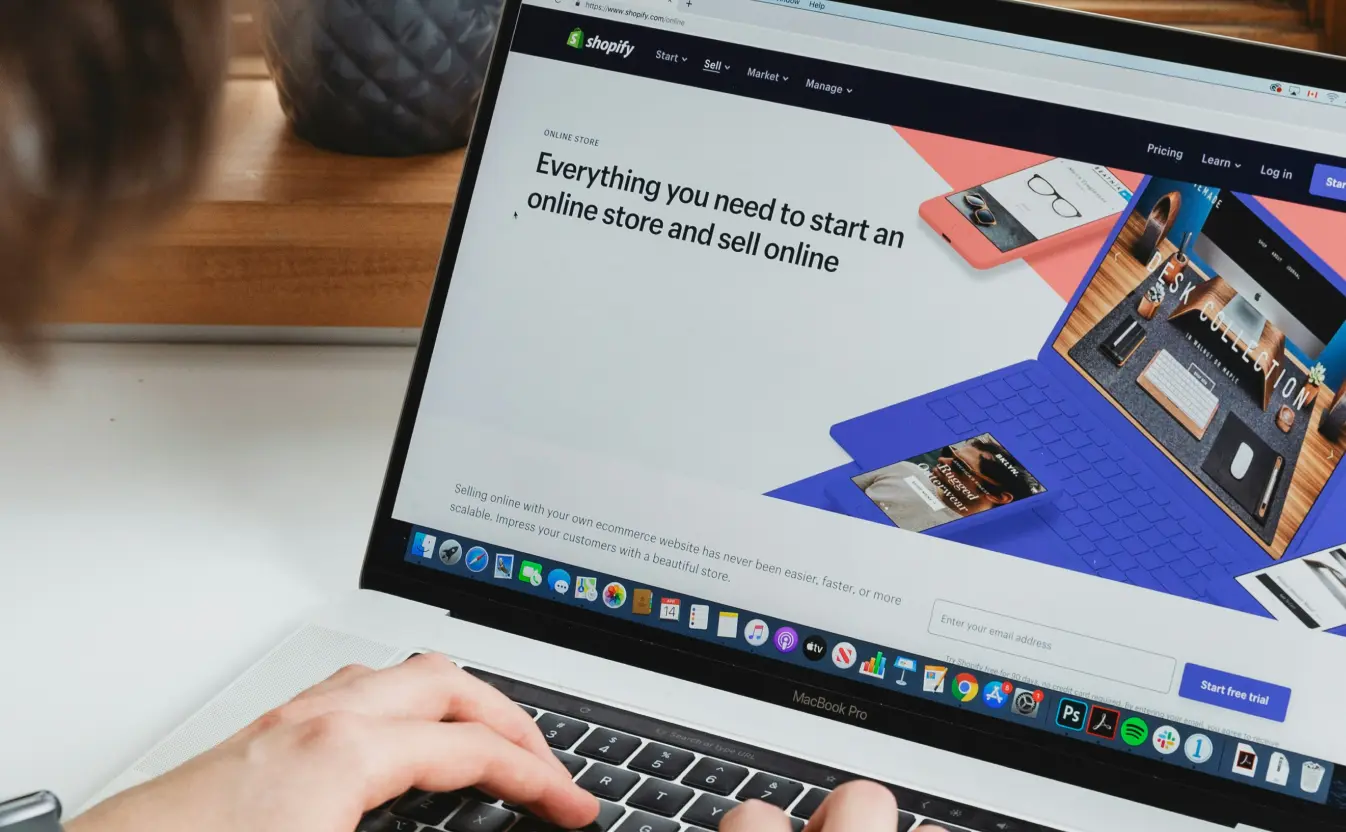
| Shopify | building a real brand store | You bring the traffic | plans start at $19/month billed yearly (and go up) |
Some platforms also handle taxes for you, which can save a lot of headaches when you sell worldwide.
Step 5: Get traffic without doing “everything”

If you try to post on every platform, you’ll burn out.
A clean starter plan:
- Make one simple landing page with an email sign-up, so you can test interest and collect emails.
- Pick 1 main traffic channel (Pinterest or TikTok) and stick to it for 30 days.
- Use email to launch and relaunch (email is still one of the easiest ways to sell).
If you sell on your own store (like Gumroad or Shopify), you usually need to send your own traffic.
Common challenges and how to beat them
Even the best digital products to sell can come with a few problems after you launch. The good news is that most issues are common, and you can plan for them early.
In this section, we’ll cover the biggest challenges sellers face and simple ways to beat them.
1. Piracy and file sharing
Digital products are easy to copy. So yes, piracy happens.
What to do
- Add a watermark to your preview images so screenshots are less useful. You can make these fast in Kittl by placing a light, semi-transparent text layer over the design.
- Deliver files in a more protected way when you can, like using expiring links or limited-access delivery platforms.
- If you sell PDFs, consider basic PDF protection for your buyer file, and keep the heavy watermark only on your previews.
2. Competition and copycats
If you sell a “planner,” you’re fighting everyone. If you sell an “ADHD planner for students,” you stand out fast. Stripe also points out that products get copied, so your brand matters.
What to do
- Niche down hard. Pick one person and one problem.
- Bundle for value. Instead of one planner, sell a set with covers, stickers, and quick-start pages.
- Make your style recognizable so people choose you, not a cheaper look-alike.
3. Trust and “is this worth it?”
Some buyers hesitate because they cannot touch the product first. Amasty recommends building trust with clear details, reviews, demos, or free samples.
What to do
- Show strong previews. Learn to use clean mockups and close-ups so buyers know what they get.
- Add testimonials and reviews to your listing.
- Include a short “how to use this” page so buyers feel supported right away.
Frequently asked questions about the best digital products to sell in 2026

1. What is the easiest digital product to make?
The easiest digital products to sell are still templates and simple printables, because you can reuse the same layout over and over. A beginner-friendly way is to pick one format and make a small set, like 10 Instagram post templates, a 20-page checklist pack, or a simple planner starter kit.
If you want something even simpler and super useful, niche spreadsheets (budget tracker, debt payoff tracker, habit tracker) can be easy to build and sell because they solve a clear problem fast.
2. Is selling digital products worth it in 2026?
It can be worth it in 2026, but only if you treat it like a real product, not a random download. The sellers who win usually do three things:
- Pick a tight niche and one clear problem
- Make the product easy to use in the first 5 minutes
- Show strong previews so buyers trust what they will get
If you do those, you can still find plenty of “room” in the market, even with competition.
3. Where is the best place to sell digital products?
The best place to sell digital products depends on how you plan to get buyers:
- If you want shoppers to find you, start on a marketplace like Etsy or Creative Market
- If you already have an audience (TikTok, Instagram, email list), selling direct on Gumroad can be simple
- If you want a real brand store and long-term control, Shopify or Squarespace is a better fit
Many sellers use a mix: marketplace for discovery, plus a direct link for repeat buyers.
4. How do I price my digital product?
A simple way to price digital products to sell is to price based on what the buyer gets, not how long it took you.
Use this quick checklist:
- Compare similar products in your niche and match the “normal” range
- Charge more when your product saves time, includes more pages/templates, or comes as a bundle
- Add a clear upgrade path, like personal use vs commercial use, or standard pack vs big bundle
- If you are unsure, start simple, then raise the price once you have reviews and proof it works
Digital products to sell in 2026 and how to sell digital products
Digital products to sell in 2026 are still one of the easiest ways to start a small side income because you can create once and sell again without inventory.
The barrier to entry is low, but quality is what makes people buy from you rather than scroll past. When your files are clear, your previews look professional, and your product solves one real problem, you stand out fast.
If you are ready to take the first step, here is a challenge for you: start simple and make one small product set that you can finish this week.